Follow your training plans in Paceback
Use AI to import a plan, or follow one your coach or physio creates in Paceback. Track your sessions and review your progress, on your own or together.
You can start without a connected coach or physio.




From plan to progress
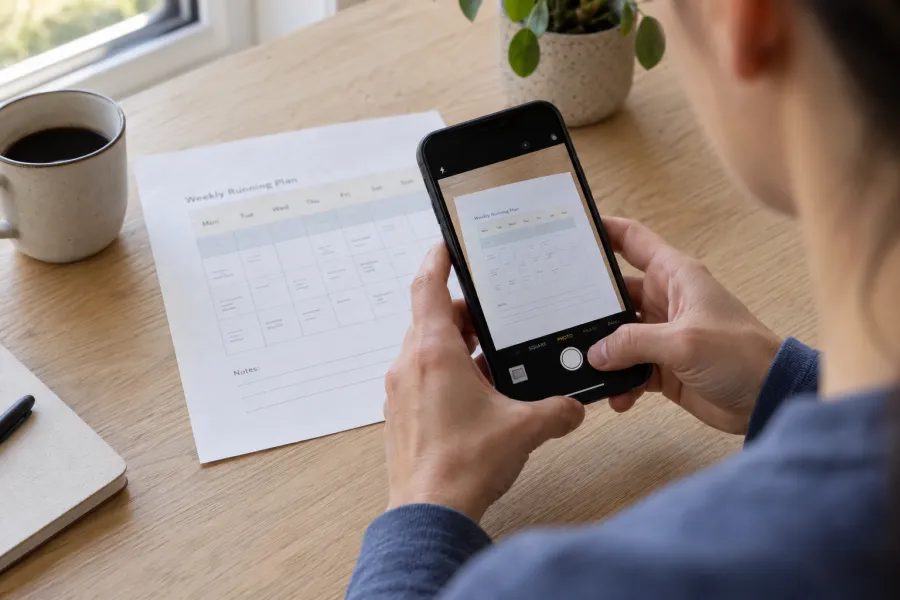
Add your plan
Take a photo, upload a file, create a plan, or get invited by your coach or physio.
Follow your plans
Log your activities, check in on your wellbeing each day, and write in your journal about training and recovery.
See your progress
Explore insights with Ask Paceback, then review your records with your coach or physio at your next session.
Running and strength, in one schedule
See which days to run, build strength or rest. Keep the session details beside the schedule, so you know what each day includes.
Compare the plan with what you did
See completed sessions and distance beside your plan, then review how your training has changed over time.
Records show their dates and sources. If there is too little data for a comparison, Paceback says so.
See who changed your plan, and when
With your permission, your coach or physio can review your records and update your plan. Keep a shared record of what changed and who made each change.
Your plan, connected to the apps you use
Schedule your sessions. Sync your recorded activity.
Into Paceback
Sync your activity automatically
Recorded activities and health data sync from your connected apps into Paceback.
 Strava
 Apple Health
 Withings
From Paceback
Keep your sessions on schedule
Add planned sessions to your calendar with a subscription link. Send supported workouts to your Apple Watch.
 Apple Calendar
 Google Calendar
 Apple Watch
For runners and the people who support them
Follow your own plan, or work together in Paceback.

Start with your plan
Bring your plan into Paceback, record your sessions, and see your progress.
Training support, not medical advice. Paceback does not diagnose, select treatment, or clear anyone to return to running.